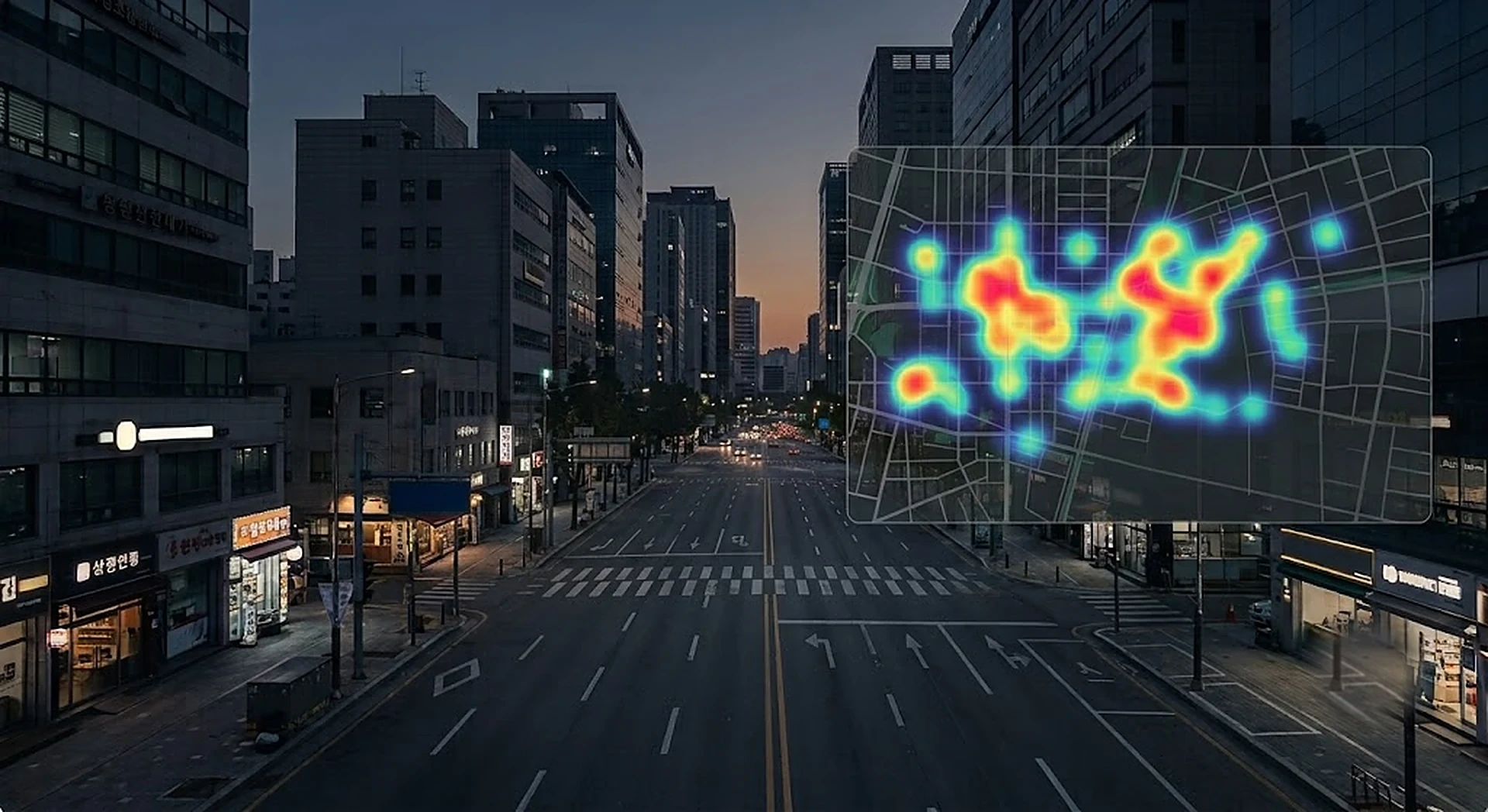
Still picking your next location on gut feel?
We measure foot traffic and demographics at candidate sites.
A wireless measurement kit counts foot traffic in front of candidate sites and storefronts, by hour and by profile.
Before and after measurement
TrafficVision replaces gut-feel judgments about a location with measured traffic, time patterns, and demographic profiles.
- Site decisions from a few site visits
- Traffic estimated by feel and experience
- Day and hour swings are guesswork
- Foot traffic counted around the clock
- Day-of-week and hourly patterns as graphs
- Gender and age profile included

Turns pre-opening questions into measurements
Before you sign, before you open, before you relocate. Whenever a location decision comes up, it produces numbers on the same basis.
Check a site's real foot traffic by day and hour before signing.
Landlords and developers explain a space's traffic value with numbers.
The shorter the stay, the more the traffic evidence matters.
Measure traffic in front of an existing store to know the denominator of entry rate.
Ground opening hours and staffing in measured peak and quiet hours.
Move the kit between sites and measure them all the same way.
Converts street flow into location data
Frames from the wireless cameras are processed and discarded in the on-site edge analyzer. What remains is hourly traffic and profile statistics, reassembled into pattern graphs and site comparisons.
Compact cameras mounted on glass or awnings capture the street flow. Angled placement improves profile accuracy.
Processes and discards frames on site. Video never leaves the location.
Only aggregate numbers go to the console over the site's connection — Wi-Fi or LTE. Updates every few hours.
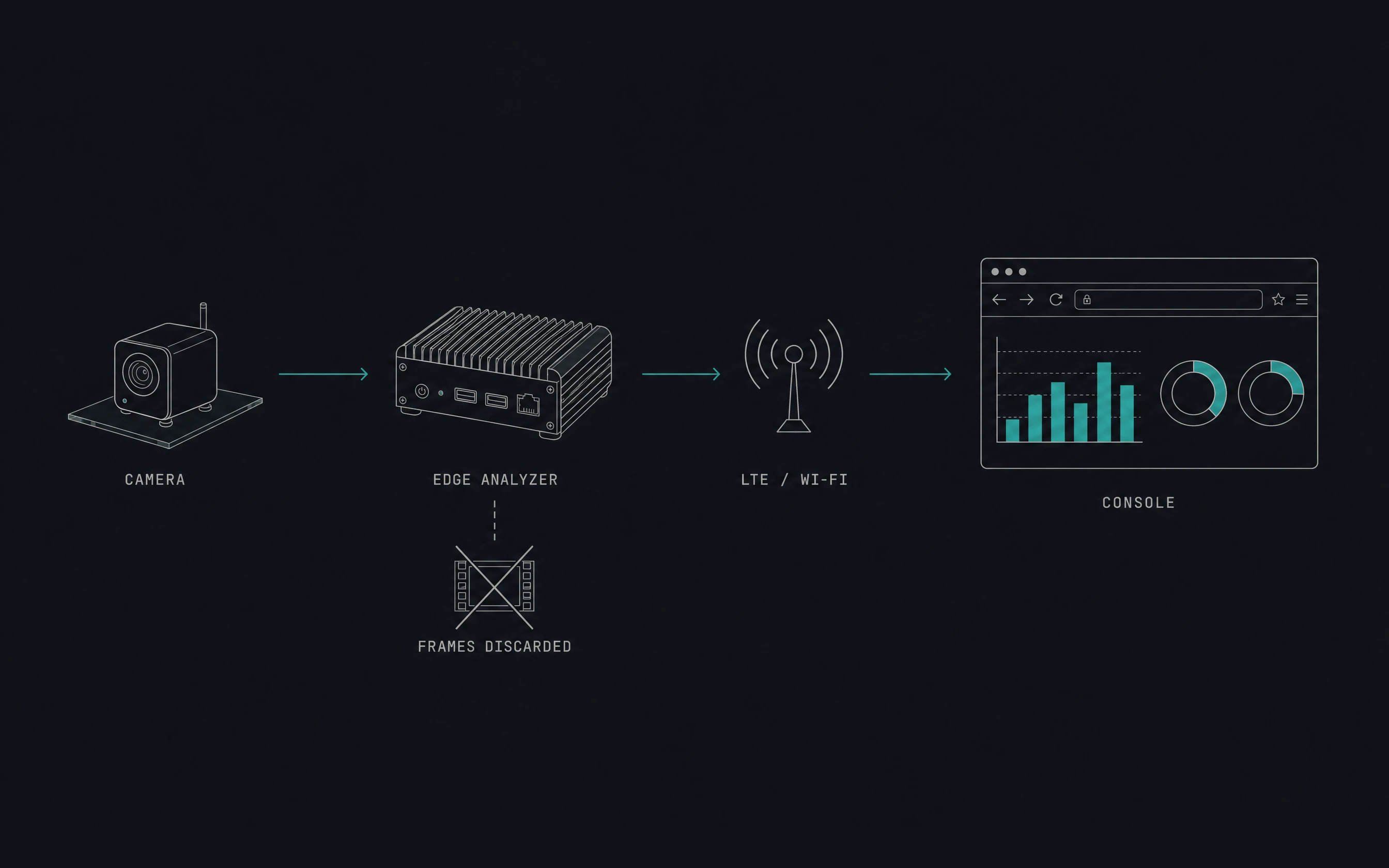
A self-install kit arrives by courier — wireless cameras and an edge analyzer.
Mount it on glass or an awning, plug in the power, done. A manual is included; the kit connects over the site's internet — existing Wi-Fi or an LTE router.
Watch statistics update every few hours in the web console.
What you learn
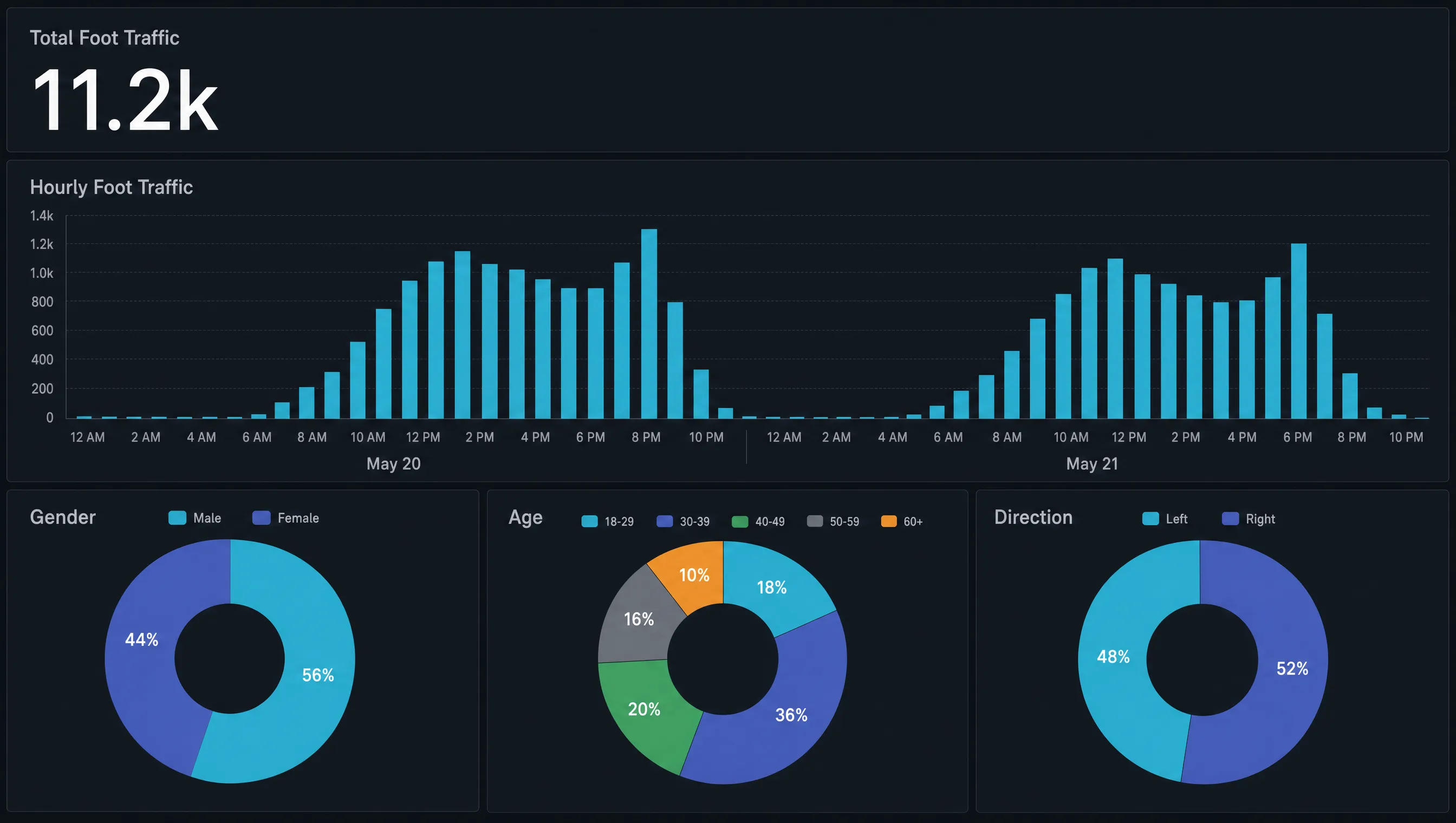
TrafficVision reads the quality of a location. How many people pass the spot in a day, when it peaks and when it empties, and who is walking by. It builds hourly traffic, day-of-week patterns, and a gender-age profile on one consistent basis — location data you can use to compare candidate sites.
Counts people passing the site, by direction and by hour.
See how weekdays differ from weekends, mornings from evenings.
Gender and age distribution of the people walking by.
Compare candidate sites with numbers measured the same way.
From a few days to several months
Set the period to match the question. The same kit covers quick comparative reads and seasonal checks.
Mount it so the flow you care about is in view. Mounting and power are the whole install.
Watch the numbers accumulate in the console. There is rarely a reason to revisit the site.
When the measurement ends, collect the kit and install it at the next site — same basis, next candidate.
No construction — start measuring the day it arrives
Start measuring with a single kit, then collect it and move on to the next candidate site.
Receive it, mount it, plug it in. No construction work.
An angled viewpoint, not head-on, improves gender and age measurement accuracy.
Frames are processed and discarded on site. Only numbers leave.
Original video is processed on-site, and only the required de-identified data is transmitted.
Frequently asked
Q1Does it work where there is no internet line?+
Yes. An LTE router is part of the kit, so data goes out wirelessly with no line to run and no construction needed.
Q2How is it powered?+
It needs a constant power connection. One ordinary outlet is enough, and we confirm with you before installation that power is available.
Q3Who installs it?+
The kit is built for you to install yourself. Follow the enclosed guide to mount it and connect power — that is all — and we support you remotely if anything gets stuck.
Q4Is it a problem to film people passing by?+
Video is processed inside the on-site device (AI Box) and erased immediately. Only anonymous aggregate numbers leave the site, and no biometric data is stored, so we cannot tell who passed either.
Q5How long should we measure for?+
About a week to see weekday patterns. Several months suits seasonal traffic shifts or changes in the trade area. If you have several candidate sites, the kit can be moved between them and run in sequence.
Q6How is pricing decided?+
By the number of kits and the measurement period. With several candidate sites it depends on whether you want several kits running at once or one kit moved between them in sequence. Send the site addresses and the period you want covered, and we will put it together.
Installations
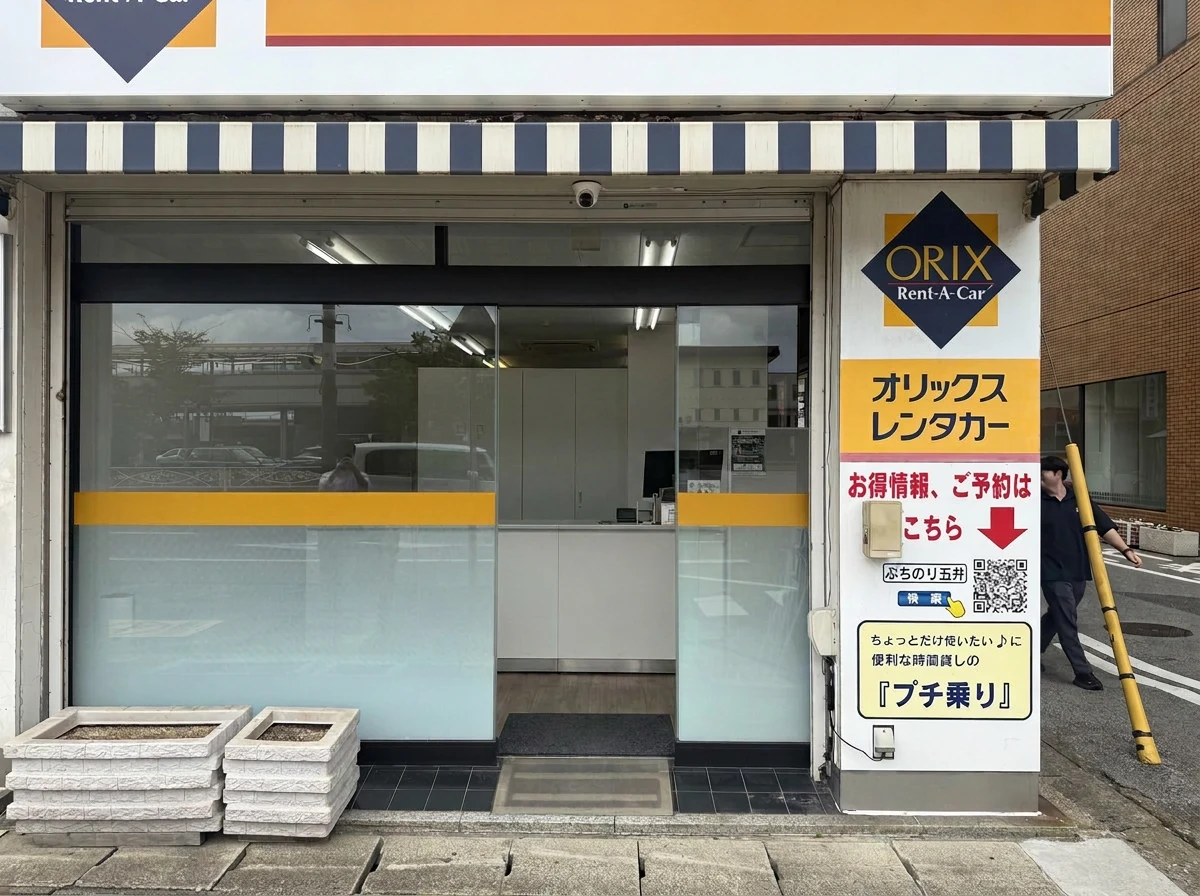
A wireless measurement kit on the sidewalk in front of a station-front franchise store measured the traffic and demographic mix behind the next business-line decision.
Measure the site you are considering
A self-install kit — a few days of measurement gives you grounds to decide.