The one thing checkout data leaves out: who bought it
POS records what was bought, when and for how much, but not who bought it. Here is how checkout data changes when you add anonymous, aggregated buyer gender and age group.
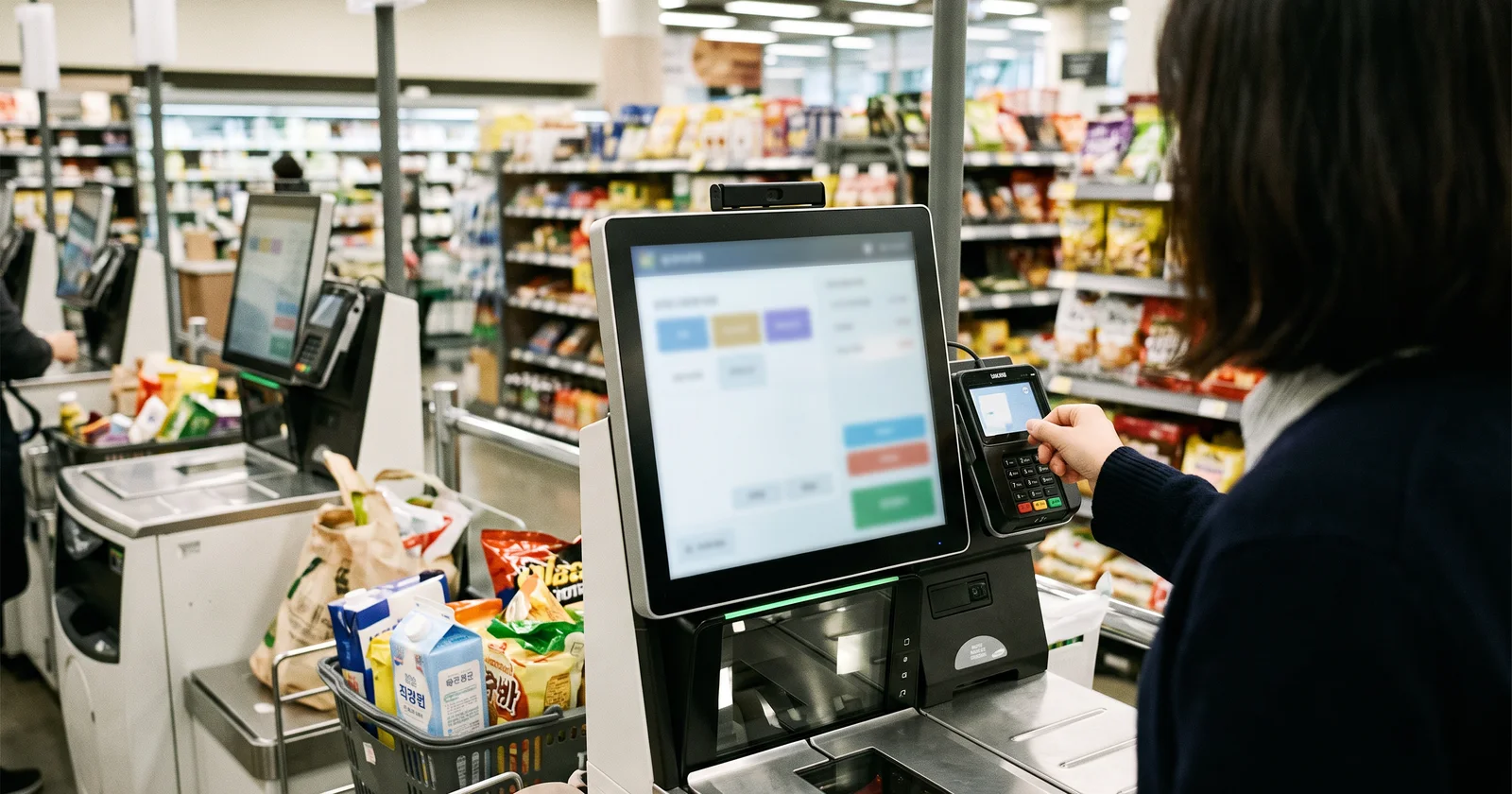
The checkout is where a store collects its most accurate data. POS captures every payment time, amount and item. One thing is still missing: who bought the product.
The gap is wider in stores where many shoppers never show a loyalty card. This post covers how buyer gender and age group can be aggregated anonymously at the checkout, and who uses that data and how.
What POS data does not show
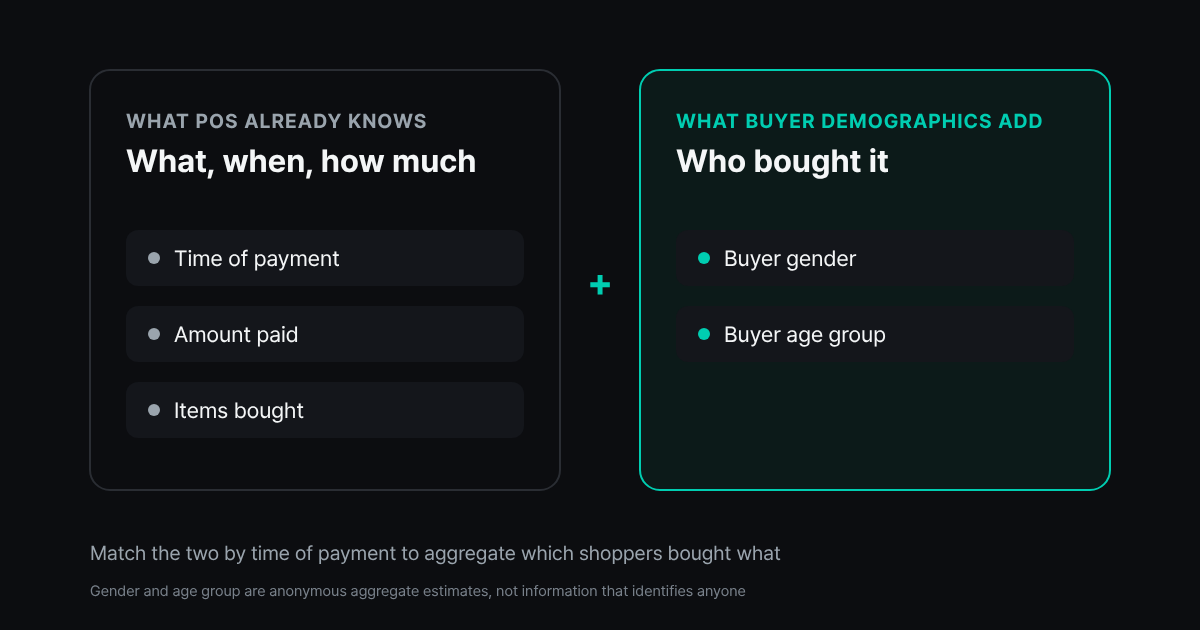
POS data is strong on what sold and weak on who it sold to.
- What you can see: sales by hour, units sold by item, average basket value
- What is hard to see: which gender and age groups bought an item, and how the mix of paying shoppers changes through the day
Loyalty data can fill part of the gap, but it only reflects shoppers who use a loyalty card. The mix of all shoppers in the store stays out of view.
What buyer demographics analysis is
A camera and a small analysis device are installed at the checkout or self-checkout to estimate the gender and age group of the person paying.
- Anonymous aggregates: gender and age group are aggregate estimates, not information that identifies anyone. The system does not identify specific people or track returning shoppers
- On-site processing: video is processed on the device on site, and the system is designed so that only aggregated data is sent to the server
- Tied to the moment of payment: the buyer mix is recorded at the time each payment happens, so it can be lined up with POS payment records by time
Who uses it and how
Buyer mix data matters because the companies that supply and run checkouts can turn it into a new data service.
- Payment processors and POS providers can add buyer mix reports to their existing payment and POS services and offer them to client stores as an add-on
- Retailers can see which shoppers pay at which hours and on which days, and use that to time displays and promotions
- Manufacturers can see who actually buys their products and refine product planning and promotion targets
What to check before you start
- Installation position: the camera needs a clear angle on the person paying. On self-checkouts it is mounted above the screen
- On-site calibration: lighting, camera height and the local shopper mix can skew estimates, so the system is calibrated against on-site conditions after installation
- Notice: shoppers need to be told that a camera is used in the store for anonymous counting
Frequently asked questions
Do you link payment details to faces?
No. People are not linked to payment cards or loyalty data. Only aggregated gender and age group at the time of payment are kept.
Do we need to replace our POS?
No. A camera and analysis device are added to the checkout, so the POS stays as it is. How the data is combined with POS data is set to fit the operator's own system.
Checkout data tells you what sold. Add who bought it, and the same data can answer more questions.